
Why Upgrade to Toocheke Premium for Your Webcomic Website?
If you’re already using the free version of the Toocheke theme, you know it’s built specifically for webcomic creators. It gives you the foundation you need to publish, organize, and present your comics in a clean, reader-friendly way.
But Toocheke Premium is where things move from “I have a comic website” to “I run a professional, monetized webcomic platform.”
Toocheke Premium adds powerful tools that are not available in the free version — tools designed to improve reader experience, increase engagement, and open up multiple monetization paths for your comics.
Here’s what you unlock when you upgrade.
1. Hero Section Home Page Slider
Create a dynamic, eye-catching home page with a hero slider.
You can highlight:
- Featured comics
- Announcements
- Promotions
- New series
- Sponsorships
Enable it from:
Appearance → Customize → Home Slider
Upload slides from:
Toocheke → Premium Hub
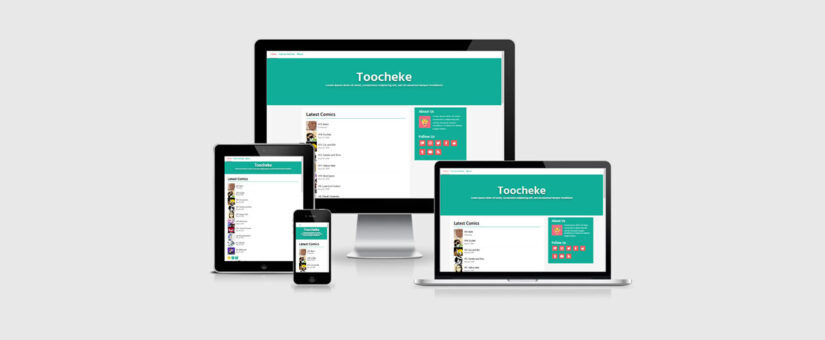
This instantly makes your site feel more like a professional comic portal rather than a simple blog layout.
2. Slider Layouts for Comic Navigation (Home Page)
This is one of the coolest Premium features.
Readers can navigate through comic posts directly from the home page without loading new pages. It creates a smooth, modern browsing experience that keeps readers engaged longer.
See it in action and learn more here: Introducing Slider Layouts for Toocheke.
3. Panel-by-Panel Swipe Navigation (Instagram-Style)
Each comic post can be navigated panel by panel with a swipe gesture — just like Instagram.
This dramatically improves the mobile reading experience and feels natural for modern audiences.
Enable from:
Toocheke → Options → Navigation
4. Patreon Integration (Built-In Paywall System)
Toocheke Premium works directly with the Patreon plugin to allow you to:
- Hide comics behind Patreon tiers
- Require Patreon login from your navigation bar
- Incentivize supporters with exclusive content
- Reward patrons through your commenting system
Step-by-step guides:
How to Setup a Paywall for Your WordPress Webcomic Website with Patreon
How to Incentivize Patron Payments With Your Commenting System
This turns your comic into a recurring revenue platform.
5. WooCommerce Integration (Sell Your Merch & Collections)
Want to sell:
- Merchandise
- Print collections
- Digital comic bundles
- Posters and prints
Toocheke Premium integrates smoothly with WooCommerce so you can run a full online store directly from your comic site.
Setup guide:
How teo Set Up an Online Store on Your WordPress Webcomic Website with WooCommerce
6. Early Access to Scheduled Comics
Let readers navigate to comics that are scheduled for the future.
Perfect for:
- Patreon early access
- Special supporter previews
- Hype before public release
Enable from:
Toocheke → Options → Navigation
Check: “Do you want to enable navigation to comics scheduled in the future?”
7. Sell Original Art and Prints (PayPal Integration)
Monetize individual comic posts by allowing readers to:
- Buy the original art
- Purchase print copies
- Support specific comics they love
Managed from:
Toocheke → Options → Buy Comic
Guide:
How to Monetize Your Comic With Original Art and Prints
8. Sell Comic Sponsorship Ads
Turn your comic into ad space for sponsors.
You can:
- Offer sponsorship slots
- Manage sponsorships from the dashboard
- Configure payment settings easily
Manage sponsorships from:
Toocheke → Premium Hub → Comic Sponsorships
Payment settings from:
Toocheke → Options → Sponsor Comic
Guide:
How to Set Up Sponsor Ads with Toocheke
Free Version vs Premium Version
The free version helps you get started with publishing your comics.
The premium version helps you:
- Improve reader experience
- Increase engagement
- Monetize your content
- Run a professional comic business
Get Toocheke Premium
If you’re serious about growing your webcomic, engaging your audience, and creating real income opportunities, Toocheke Premium gives you the tools to do it.
If you have any questions or want help setting things up, feel free to reach out.
Happy Tooning!